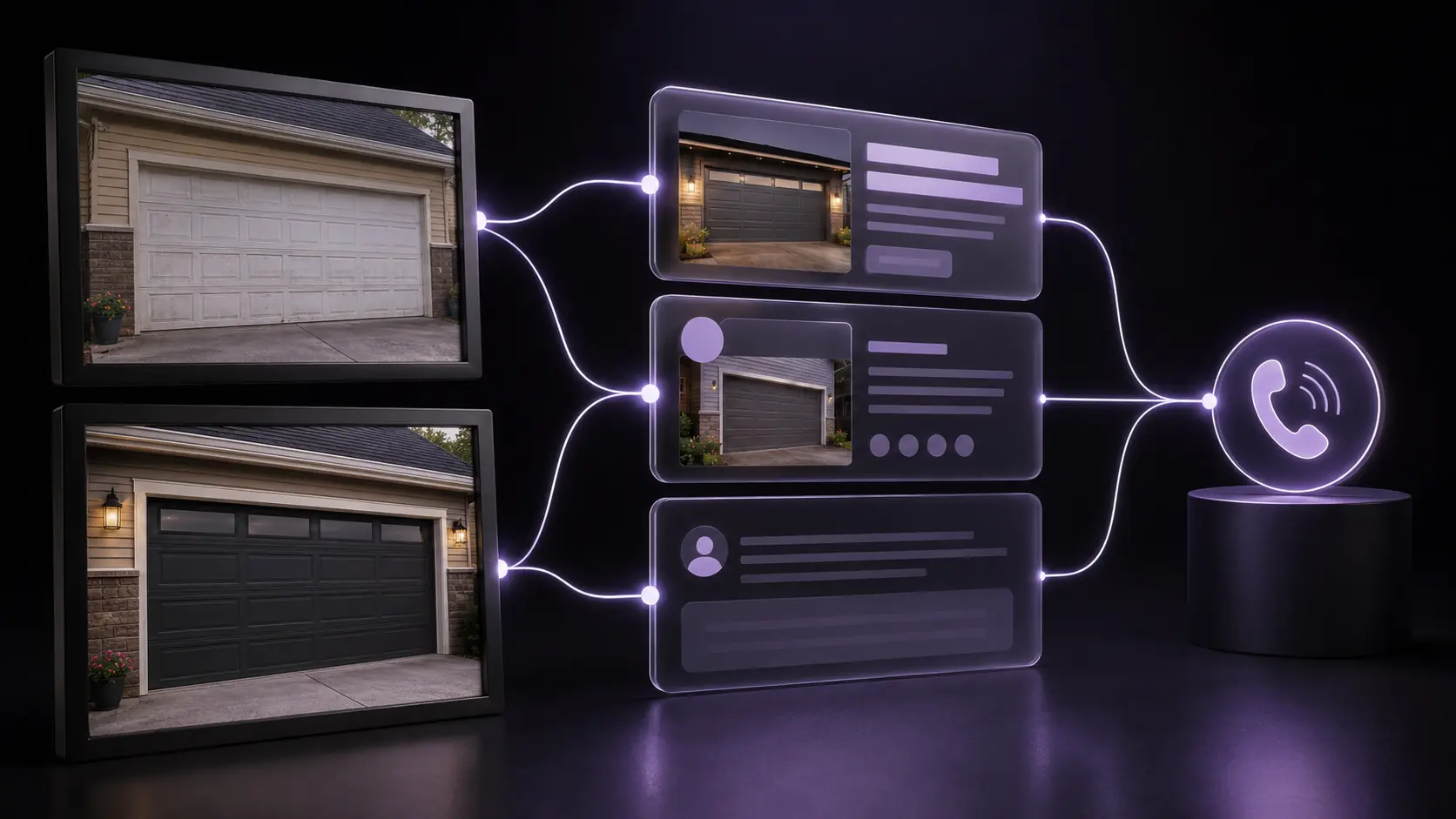
Your technicians complete valuable garage door work every week, but most of the proof disappears into camera rolls and job-management attachments. The website keeps using generic images. Replacement buyers cannot see the finish quality, and repair customers cannot tell whether the company handles their situation. The answer is not simply more photos. Build a permission-based job-proof workflow that records the real condition, the completed professional outcome, and the next customer decision.
01
The answer: treat job photos as evidence, not decoration
A useful garage door photo answers a buyer question: can this company handle my service and what does its finished work look like? The image should sit beside accurate context about the service, market, process, and next step. A folder of unlabeled photos cannot do that job on its own.
EdgeLocal viewpoint: one authentic completed job can support several parts of the customer journey, but only when every use tells the same true story. The service page, Business Profile, review request, and office notes should agree on what was done. The photo is proof of a visible outcome, not proof of a ranking, diagnosis, customer opinion, or guaranteed result.
This system is distinct from review acquisition. The existing review integrity guide explains how to ask every eligible customer for honest feedback. The job-photo workflow gives the company real visual evidence to publish while that independent customer feedback develops.
02
Diagnose the proof that is being lost
Audit the last 30 completed jobs. Count how many have customer permission, useful before and after images, a known service, a market label, a factual caption, and an approved destination. Separate repair, opener, maintenance, replacement, and commercial work to locate where evidence stops moving.
A common failure begins in the field. The technician remembers the after photo but not the starting condition, or captures a detail so tight that a buyer cannot understand the door. Another failure occurs in the office: files arrive as IMG_4821, nobody knows which market or service they represent, and permission is unclear. The safest decision is then to publish nothing.
The financial consequence is difficult to isolate but easy to recognize. A replacement page without real design and installation evidence asks a high-value buyer to trust generic claims. A commercial service page without facility-relevant proof cannot demonstrate the work it says the operation performs. Photos do not guarantee conversions, but weak proof creates avoidable doubt.
03
Capture the job safely, accurately, and with permission
Get a clear customer decision before photography and record whether the images may be used publicly. Permission should cover the intended use and remain easy for the office to verify. Exclude faces, house numbers, license plates, access codes, paperwork, neighboring properties, and other private details. Use a permission process appropriate to the market.
Capture the visible condition before professional work from a safe position. Do not touch springs, cables, brackets, tracks, operators, or door components for the sake of a picture. Do not ask a customer to operate a door that may be unsafe. Photograph the completed outcome only after the qualified professional has finished the normal safety and function checks.
Use a comparable angle and honest lighting, but do not manufacture a dramatic transformation. Keep the original files. Avoid replacing skies, removing property defects, adding equipment, or using generative edits that change the job. Basic cropping, exposure correction, and privacy redaction are reasonable only when they preserve a truthful record.
04
Make each approved image useful on the website
Rename the selected file with short, descriptive language such as insulated-garage-door-replacement-westfield.webp instead of IMG_4821.jpg. Google says filenames provide light clues, while page context, nearby text, captions, titles, and alt text help it understand the image. Describe what is actually visible rather than stuffing locations and services into every field.
Place the image on the page that answers the same customer decision. A replacement pair belongs near design, insulation, measurement, or installation context. A maintenance photo belongs beside the professional scope, not a risky do-it-yourself tutorial. Link the page into the broader service journey and confirm that the image uses a standard HTML image element with a crawlable source. Google says it finds images in the src attribute of img elements and does not index CSS background images.
Balance quality with speed. Google recommends sharp, high-quality images while noting that large files can slow pages. Use modern formats, sensible dimensions, responsive delivery, and a fallback source. The image filename, alt text, caption, social metadata, and structured-data image should all describe the same asset without claiming that the photo itself improves rankings.
05
Reuse the proof without turning it into mass content
Add selected business-specific photos to the verified Business Profile when they meet Google's format, quality, policy, and relevance requirements. A Profile update can include a photo or video, description, and action button that leads to a trusted page. Google notes that posts may be reviewed and that posts older than six months are archived unless a date range is set. Treat updates as current customer context, not permanent service-page architecture.
Do not publish the same before-and-after pair across dozens of thin city pages. Use it on the most relevant service or project context and link from related pages. The location-page framework explains why a small number of useful market pages is stronger than city-name substitution. For search measurement, connect page impressions and clicks to the traffic-to-job diagnostic.
After the job is complete, send a neutral review request to every eligible customer through a consistent process. Google allows businesses to remind customers to leave reviews but prohibits incentives in exchange for posting, changing, or removing reviews. Do not ask for a five-star review, screen out unhappy customers, or suggest the wording. The free Review Request Kit converts real job details into concise SMS and email copy.
06
Measure whether proof improves the buyer journey
Track the operational system first: permission rate, usable before-and-after pairs, office handoff time, images published by service, and jobs connected to an honest review request. Then monitor priority-page impressions, qualified visits, click-to-call actions, forms, booked work, and completed jobs. Use the call-tracking guide to preserve the real business number while connecting sources to outcomes.
Review the library monthly. Remove duplicates, retire misleading or outdated proof, replace generic imagery on high-value pages, and identify services or markets with no current evidence. A few well-labeled, permission-based examples can create more trust than a gallery of unexplained photos.
Reviewed August 7, 2026. Google sources support the image discovery, filename, alt-text, quality, Business Profile photo, post, content-policy, and review-request facts. The Job-Proof Capture Card, permission record, field-to-office workflow, privacy checklist, channel mapping, and measurement plan are EdgeLocal analysis. Images, Profile updates, reviews, visibility, calls, jobs, and revenue are not guaranteed.
Sources and methodology
Sources checked for this guide
Source links support the platform, search, or safety facts stated above. The diagnostic framework and commercial recommendations are EdgeLocal analysis.
- Google Search Central: Image SEO best practices
- Google Business Profile: Tips for business-specific photos
- Google Business Profile: Photos, videos, and posts content policy
- Google Business Profile: Create and manage posts
- Google Business Profile: Tips to get more reviews
- Google Business Profile: Guidelines for representing your business
Complete the post-job proof loop
Turn a finished job into a clear, policy-safe review request.
Use the free Review Request Kit to create a concise SMS and email from real completed-service details without incentives, review gating, or scripted praise.
Create the review request